How to Write an Invoice for a Small Business (Step-by-Step Guide)
An invoice that is missing one detail can sit unpaid for weeks. Most small businesses do not lose money because clients refuse to pay. They lose it to slow, avoidable friction: a missing due date, a vague line item, an invoice that lands in the wrong inbox with no way to match it to a purchase order. Here is how to write an invoice that gets paid on time, step by step.
What Every Invoice Must Include
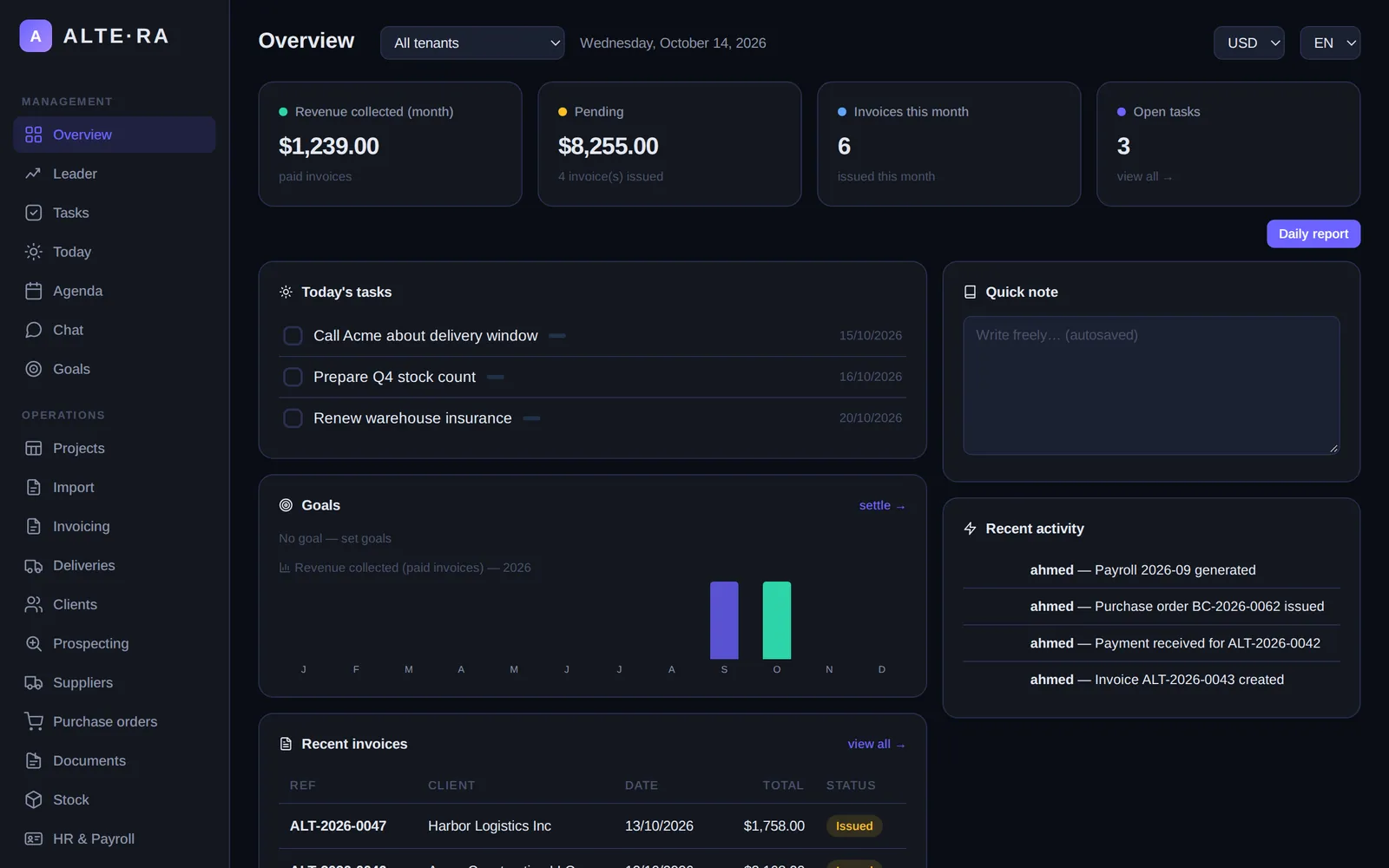
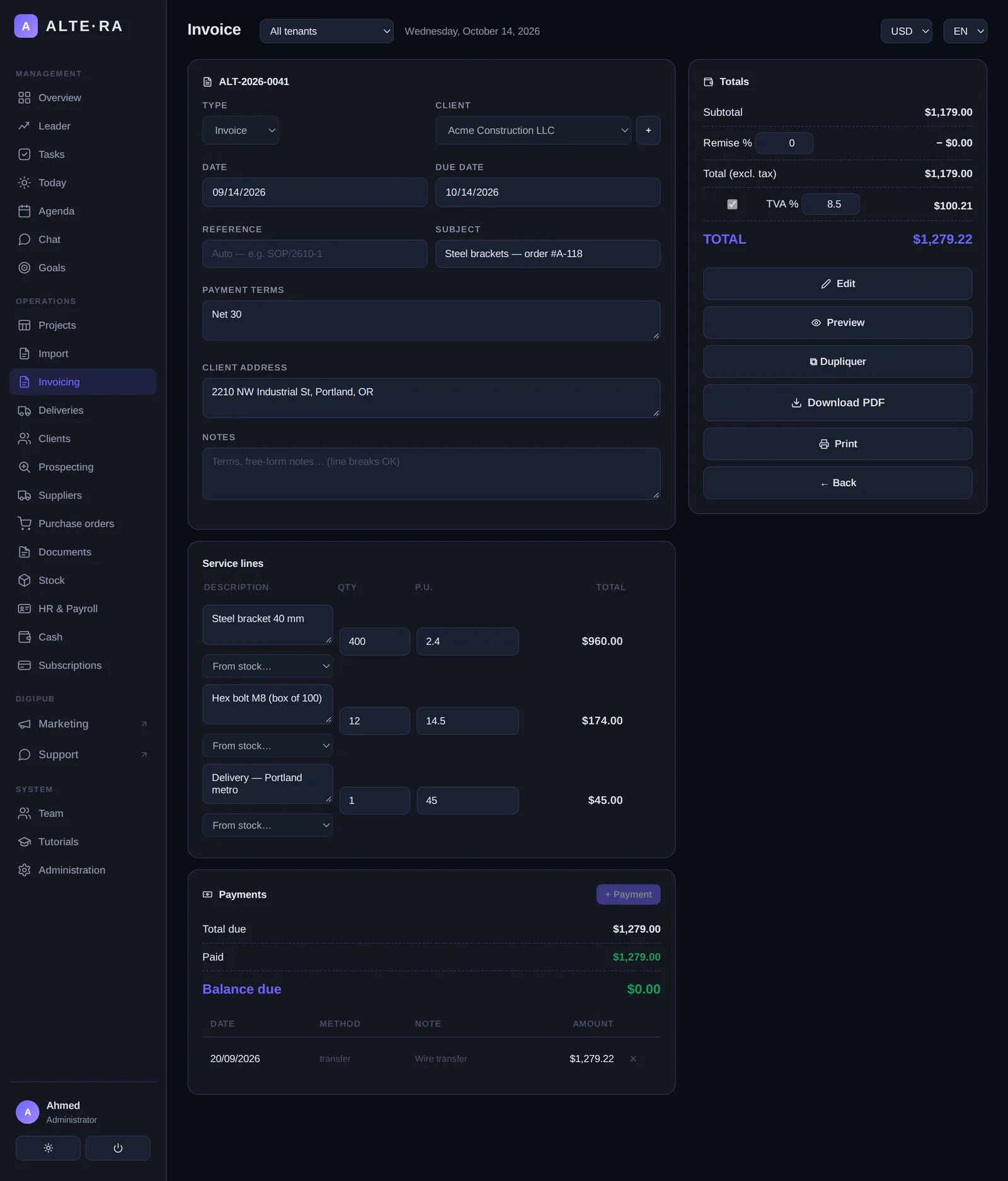
An invoice is a request for payment, and it has to answer every question the person paying might have. Before you send one, check that it contains:
- Your business name, address, and contact details, plus your logo if you have one.
- The client's name and billing address, and the name of the person who approved the work when you know it.
- A unique invoice number that follows a sequence you never reuse.
- The issue date and the due date, written out clearly.
- An itemized list of what you delivered: description, quantity, unit price, and line total for each item.
- Subtotal, discounts, taxes, and the total amount due.
- Payment terms, including any late fee policy.
- Your payment details: bank account for ACH transfer, mailing address for checks, or a payment link.
Skip any of these and you give the client's accounts payable team a reason to push your invoice to the bottom of the pile.
Step 1: Set Up a Numbering System You Will Never Break
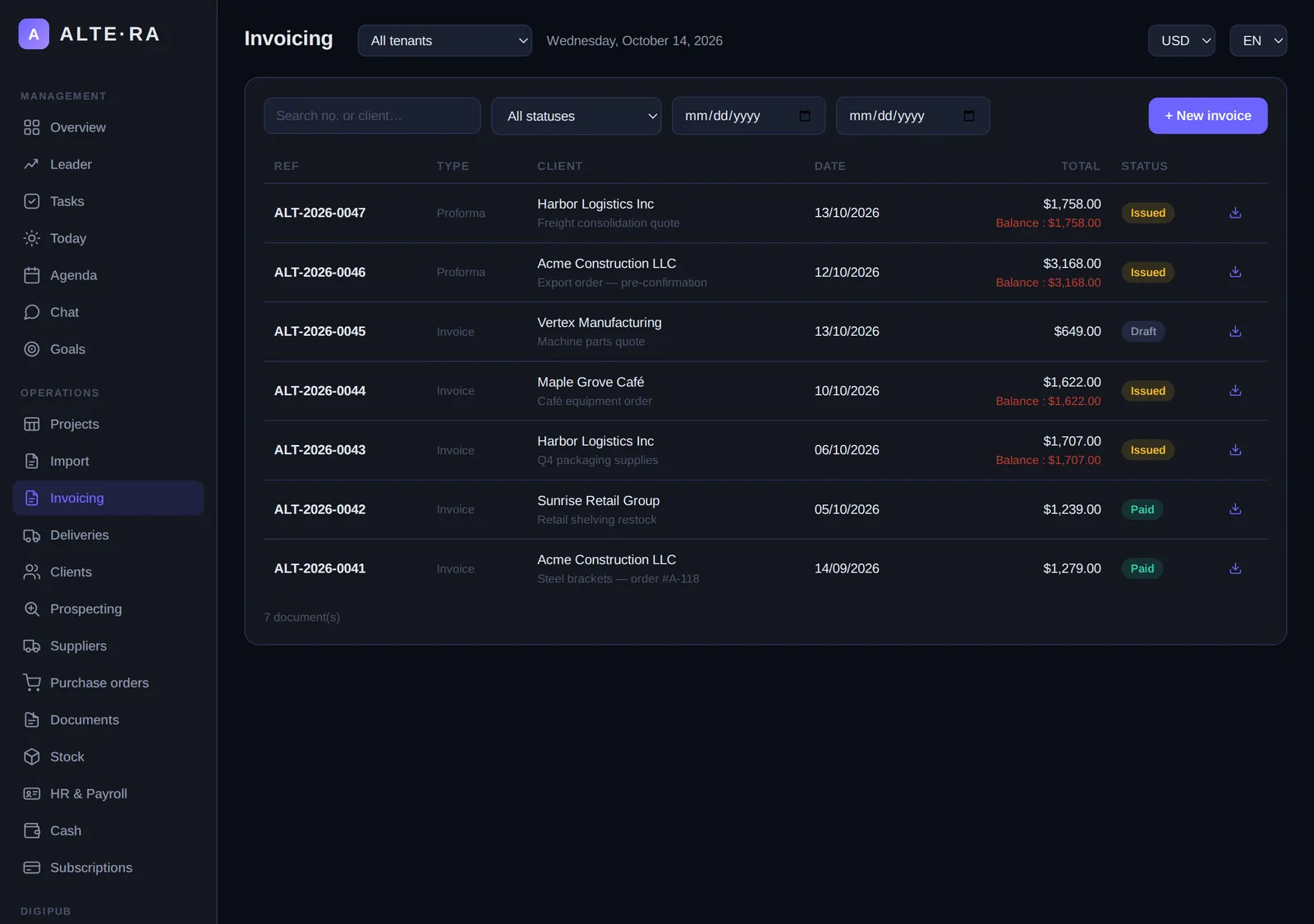
Pick a format like INV-2026-001 and increase it with every invoice, with no gaps and no repeats. A consistent number does three jobs: it proves the invoice is real, it lets you match incoming payments to the right invoice in seconds, and it keeps your records clean if you ever face a tax audit or a payment dispute. Never restart your numbering at 1 each year. If your numbering restarts, two different invoices can carry the same number, and matching payments becomes guesswork.
Step 2: Choose Payment Terms, and State Them Clearly
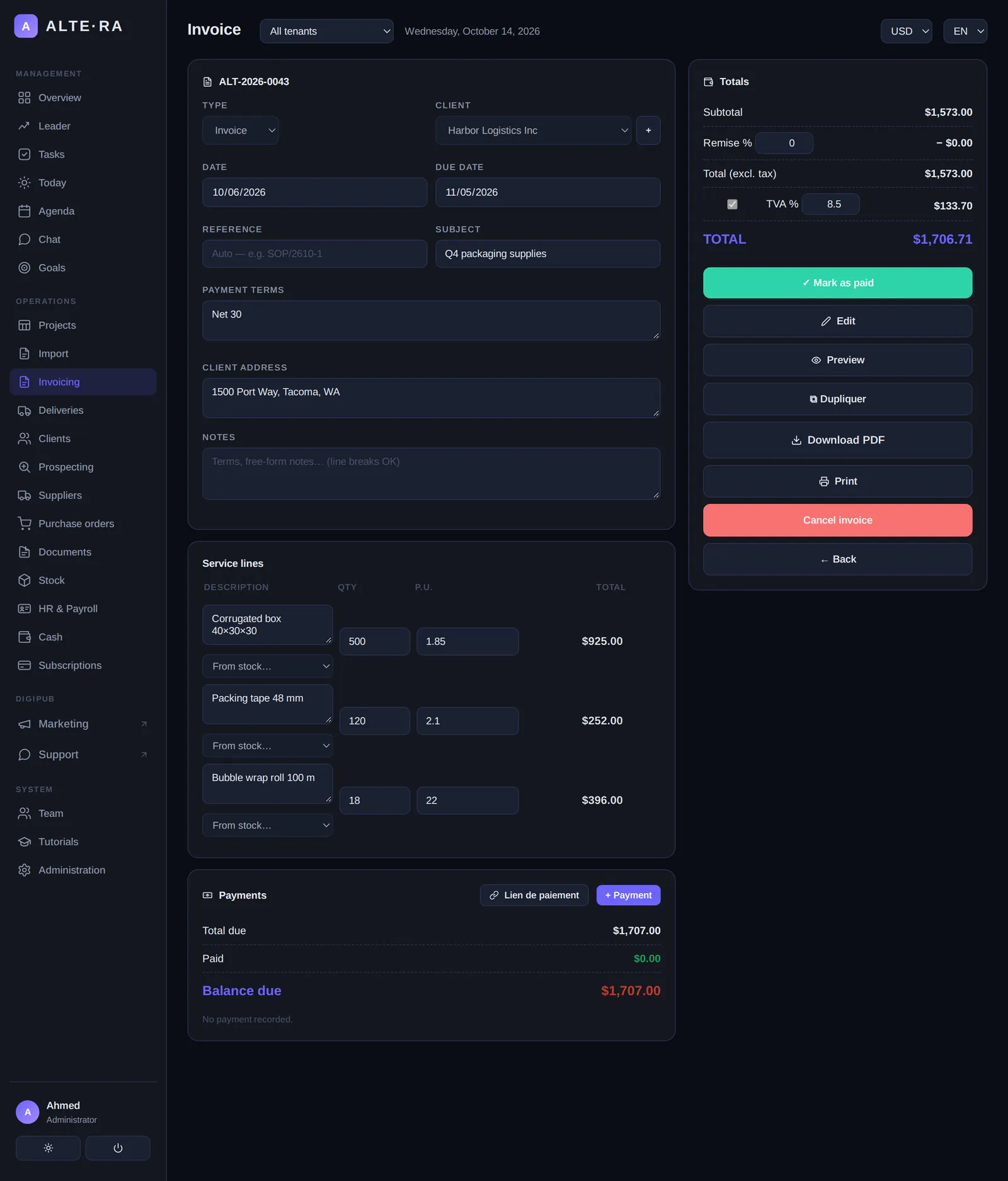
"Net 30" means payment is due 30 days after the invoice date. "Net 15" means 15 days. Many small businesses default to Net 30 out of habit, then wonder why cash is always tight. Two changes make a real difference:
- Write the actual date, not just the term. "Payment due by June 15, 2026" removes any argument about when the clock started.
- State your late fee policy on the invoice. A standard line is "Late payments incur a 1.5% monthly fee, where permitted by law." You may never charge it, but its presence changes how clients prioritize your bill.
If cash flow matters more than the discount, offer an early payment incentive such as 2/10 Net 30: the client pays 2% less if they pay within 10 days.
Step 3: Itemize Precisely
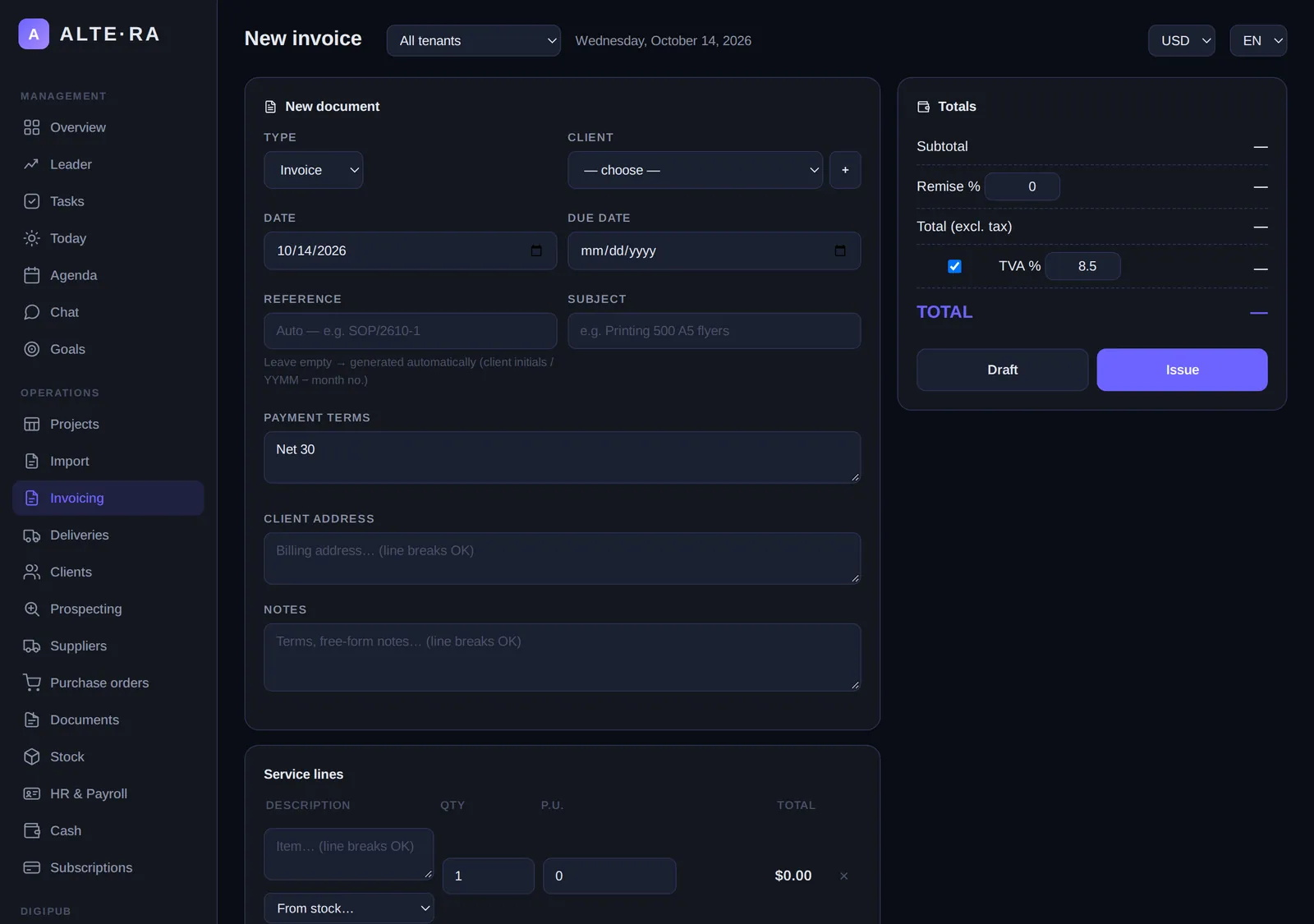
"Consulting services — $2,000" is an invoice that invites questions. Questions delay payment. Break the work down:
- "Website redesign — home page: 1 × $800"
- "Website redesign — product pages (4 pages): 4 × $300"
If your client works with purchase orders, put their PO number on the invoice. Many mid-size and large companies automatically reject invoices that do not reference a PO, and that rejection can cost you 30 days.
Step 4: Send It at the Right Time, the Right Way
Send the invoice the day the work is delivered or the goods ship. Every day you wait is a day added to the end of your payment clock. Name the file clearly, for example INV-2026-014 - Acme Corp - June 2026.pdf, so it can be found again without opening it. If a payment has not arrived 7 days before the due date, send a short, polite reminder. Most late payments are not disputes. They are oversight.
Common Mistakes to Avoid
- No due date. An invoice with only an issue date tells the client "pay whenever."
- Vague line items. Specific descriptions survive accounts payable review; vague ones generate email threads.
- Reusing or skipping invoice numbers. It breaks your records and looks sloppy in an audit.
- No late fee clause. You lose your easiest lever for getting prioritized.
- Saving invoices for month-end. Batching sends a 30-day-old invoice into a 30-day payment cycle.
- Missing payment details. If the client has to email you to ask how to pay, you have added a week.
FAQ
Is an invoice a legal document?
An invoice is a formal request for payment and strong evidence of a debt if a dispute escalates. Keep every invoice you issue, with the delivery confirmation for the work it covers.
Can I send an invoice before the work is done?
Yes. Many businesses invoice a deposit or 50% upfront. Label it clearly as a deposit or advance invoice so the client's accounting does not confuse it with a final bill.
What should I do if a client does not pay?
Follow a fixed cadence: reminder at 7 days before the due date, a second notice the day after, a firmer notice at 15 days late mentioning the late fee, then a final demand. Escalate to small claims court only as a last resort, and only when the amount justifies your time.
Do I need invoicing software?
No, a spreadsheet and a template can work at very small scale. But manual invoicing is where numbering mistakes and missed follow-ups come from. Tools like Altera generate numbered, itemized invoices, track which ones are paid, and keep client details ready to reuse, which removes most of the friction above.
Ready to stop chasing payments? Try Altera free for 30 days — professional invoices, payment tracking, and client management in one tool. No credit card required.